On the phone, Apple Maps and Google Maps fight over listings, reviews, and transit. On CarPlay, the fight changes shape. The screen is bigger but your eyes are busier, the keyboard is locked while you drive, and the interface that matters most is your voice. An app that wins on a handset can lose on a dashboard, because the dashboard has its own rules: glanceable directions, a passenger who can help, a signal that dies on rural roads, and a watch on your wrist that can tap you before a turn. This guide judges the two apps only on those car axes, and the checklist below turns the verdict into a personal decision.
Apple Maps vs Google Maps on CarPlay: Which One Deserves Your Dashboard
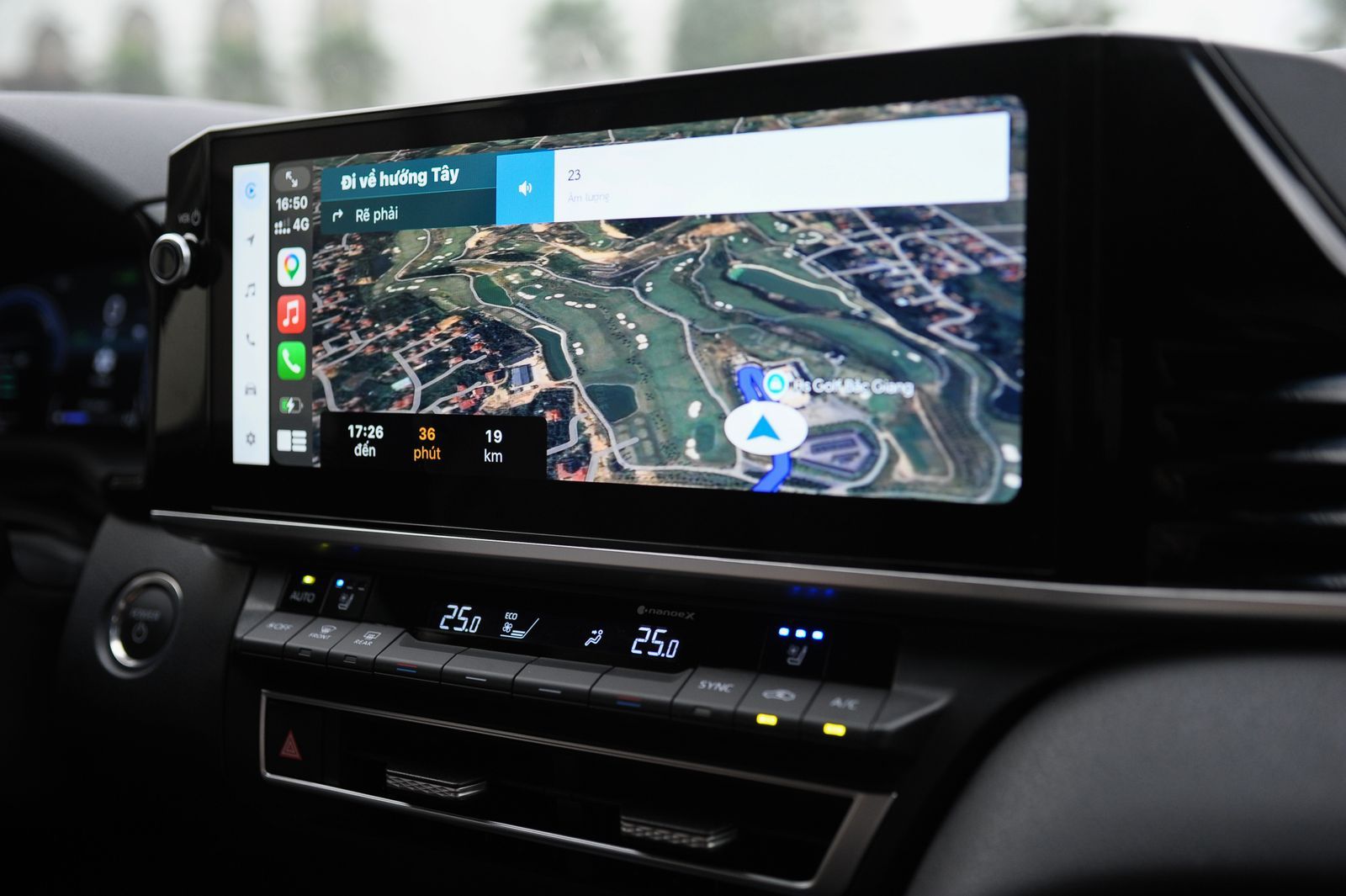
Photo: Thang Nguyen / Pexels
Interactive tool
CarPlay Pick: The Dashboard Checklist
Check off each step as you finish it. Your progress stays on this page.
0 of 7 complete
0% done
The Default Advantage: Siri, the Watch, and the Built In Seat
Apple Maps sits in the CarPlay default seat, and the seat comes with privileges no rival can fully match. A generic Siri request, "take me home" or "directions to the airport," routes to Apple Maps without you naming an app. Ask Siri to use Google Maps and you must say so, every time, by name. The same depth shows on the wrist: turn alerts that tap your Apple Watch before a maneuver are an Apple Maps feature, delivered through the same ecosystem account, and Google Maps on CarPlay cannot borrow them. Apple Maps also feeds the CarPlay dashboard split view natively, with the map, the next instruction, and your audio side by side in the layout Apple designed. None of this makes Apple Maps the better navigator. It makes it the better integrated one, and for drivers who live inside Siri and the Watch, integration is a feature you feel on every single trip.
Where Google Maps Fights Back: Data, Satellite View, and Reports
Google Maps arrives on CarPlay carrying the assets that built its phone reputation. Its place database is the deepest in the business, so searching the dashboard for a business by name, category, or a half remembered description succeeds more often, and the details it returns, hours, closures, busy times, are fresher. Google Maps offers a satellite view on CarPlay, which Apple Maps does not match on the car screen, and satellite imagery is genuinely useful at confusing trailheads, rural addresses, and sprawling parking lots where the road network on a plain map stops describing reality. Incident reporting is the third asset: Google Maps and its sibling Waze feed a large, current stream of crash, hazard, and closure reports, and on CarPlay that stream surfaces as alerts you can confirm or dismiss with a tap. If your driving is long distance highway work where one early warning pays for a year of app loyalty, this is the axis that decides.
Voice Is the Real Interface, and It Judges Differently
While the car moves, CarPlay locks the keyboard, so voice is not a convenience; it is the interface. Both apps accept voice destination entry through their own microphone buttons and through the car's controls, but the surrounding behavior differs. Siri's generic commands default to Apple Maps, as covered above, and Siri also reads Apple Maps instructions with the system voice settings you already chose. Google Maps answers with its own voice and its own phrasing, and its spoken place search is strong because the database behind it is strong: "the hardware store near the river" is a query Google's data handles well. The practical test is a week of real errands. Count how often each app finds the place you meant on the first spoken try, and how often you end up parked, typing, because voice failed. That count, on your roads and your accent, outranks every review including this one.
Offline Behavior on the Car Screen
Both apps now support downloaded maps, Apple Maps since iOS 17 and Google Maps through its long standing offline areas, and both keep navigating on CarPlay when the signal dies, within the downloaded region. The differences are in the edges. A download is a rectangle or region you chose at home; drive beyond its border and the map thins out in either app. Rerouting around a closure outside your download is limited in both, because fresh road data is exactly what a dead signal cannot fetch. The discipline that matters is identical for both apps and is covered in our guide to how to download offline maps: download wider than the trip, include the detour towns, and test in airplane mode before the journey. Where the apps diverge is discovery: Google Maps will suggest and manage downloads around your searches and trips more proactively, while Apple Maps keeps the flow simpler and more manual. Neither behavior saves a driver who never downloads at all.
EV Routing and the Extras
Apple Maps offers EV routing on CarPlay for compatible electric vehicles: the car shares its charge state, the route plans charging stops, and arrival estimates account for them. It is a short list of supported vehicles, so check yours before counting it, but where it works it is a structural advantage Google Maps does not replicate inside CarPlay, because the vehicle integration runs through Apple's car partnerships. Google Maps counters with breadth: fuel price information in its data, richer business detail at the destination, and the Street View ecosystem on the phone for previewing an arrival, the same ecosystem our Google Maps Street View guide walks through. Apple Maps counters in turn with Look Around in supported cities and with lane guidance that many drivers find calmer and earlier. These extras rarely decide alone. They accumulate, trip after trip, into a preference that feels like taste but is really bookkeeping.
The Scorecard, Axis by Axis
Voice and system integration: Apple Maps. Default Siri routing, Watch taps, and the native dashboard layout. Place search and destination data: Google Maps. The deeper database wins spoken searches and arrival details. Satellite view on the car screen: Google Maps. Apple Maps does not offer it on CarPlay. Incident alerts: Google Maps, narrowly. The combined Google and Waze report stream is larger; Apple Maps reporting exists in supported regions but the crowd is smaller. Offline driving: a tie with different manners. Both navigate downloaded regions on CarPlay; both fail the same way outside them. EV routing: Apple Maps, where your vehicle is supported. Privacy posture: Apple Maps. Apple's location data practices are the more restrained of the two, which matters to some drivers and not at all to others. Count the axes you actually use. Most drivers use three of these daily, and the winner of those three is their answer.
Picks by Driver Type
The Siri native commuter who says "take me home" and wears an Apple Watch: Apple Maps, and it is not close; the integration axes are your whole commute. The long haul driver crossing states on interstates: Google Maps for the incident stream and satellite view at strange exits, with Apple Maps downloaded as the offline backup, the two app discipline our best map app for driving guide also lands on. The EV driver with a supported car: Apple Maps for charge aware routing, full stop. The new city explorer who searches for places constantly: Google Maps, because the database is the product. The privacy first driver: Apple Maps, with Google Maps kept for occasional place lookups on the phone. And the honest meta answer: both apps are free, both sit one tap apart on the same dashboard, and the cost of choosing wrong is one trip. Run each for a week of your real driving and let the checklist at the top of this page, marked honestly, make the call.
A Note on the Third Contestant
Waze also runs on CarPlay, and a complete dashboard census would include it. It is excluded here deliberately: this article is the pairwise contest drivers actually deliberate between the two full map platforms, and Waze's CarPlay case, alerts first, driving only, no offline depth, is argued in full in our Google Maps vs Waze comparison, whose axes transfer to the car screen almost unchanged. If your driving is pure commute combat, read that one too; the two articles together cover the whole dashboard.
How This Contest Relates to the Others
This page judges one screen. The phone contest is scored in our Apple Maps vs Google Maps comparison, the three way fight including Waze is in Apple Maps vs Google Maps vs Waze, and the pure navigation accuracy question, whose position fix is actually truer, is separated out in Apple Maps vs Google Maps accuracy. Traffic prediction specifically gets its own contest in our traffic accuracy comparison. And if you are setting up CarPlay itself for the first time, how to use Apple Maps in CarPlay covers the first drive setup that this article assumes is done. Each contest has its own axes, and an app can honestly win one and lose another, which is exactly what happens here.
Related Guides
If this page answered part of the question, these map app guides cover the rest of the same ground:
- Apple Maps vs Google Maps for Driving: Lane Guidance, Voice Prompts, and Rerouting Compared: For driving, Apple Maps and Google Maps differ where it matters most: at the next turn.
- Apple Maps vs Google Maps Traffic Accuracy: Whose Congestion Data and ETAs to Trust: Traffic accuracy is three different contests wearing one name: how current the congestion colors are, how honest the estimated arrival time is,...
- Best Map App for China: Amap, Apple Maps, Baidu, and the Google Maps Problem Explained: China is the one major country where your usual map app strategy falls apart, because Google Maps is blocked, GPS coordinates are deliberately...
Frequently Asked Questions
Can I set Google Maps as the default on CarPlay?
There is no default navigation app setting on CarPlay. CarPlay opens the mapping app you used most recently, and generic Siri requests go to Apple Maps, so Google Maps users tap its icon and name it in Siri requests. In practice the last used behavior makes the friction small after the first drive.
Does Google Maps work on CarPlay without an iPhone?
No. CarPlay is an iPhone projection system; both apps run on the phone and display on the car screen. There is no standalone CarPlay navigation without the phone connected, by cable or wirelessly.
Which app uses less data on CarPlay?
With downloaded maps in place, both use very little: traffic and search queries only. Without downloads, Google Maps tends to pull richer place data and imagery, while Apple Maps streams vector tiles that are comparatively light. The download habit matters more than the app choice.
Do turn alerts on Apple Watch work with Google Maps on CarPlay?
No. The wrist tap alerts before maneuvers are an Apple Maps feature delivered through the Apple ecosystem. Google Maps can send notifications to the phone, but the Watch haptic turn alerts on CarPlay belong to Apple Maps alone.
Which is better for a road trip with no signal?
Both navigate downloaded regions on CarPlay, so the better app is the one whose download you actually prepared. Download wide, test in airplane mode, and keep the second app downloaded too as a backup; the full routine is in our offline maps guide.
Photo credits: Thang Nguyen (Pexels); Abdulvahap Demir (Pexels). Photos are served from this site; follow the credit to the library page for the original.