Few sounds raise a driver's blood pressure like the navigation voice announcing "GPS signal lost" at the exact moment the road forks. The warning feels like a failure of the satellites, but satellites almost never fail. A positioning fix needs signals from at least four satellites reaching a small receiver inside a metal and glass box that you have placed somewhere in a larger metal box, and the dropouts that plague drivers come from that chain: the sky view blocked, the receiver starved by settings, or the assistance data stale. This guide diagnoses signal loss the way a technician would, by pattern first (where and when does it drop), then by cause, then by fix, so you stop restarting apps at random and start removing the actual obstruction.
Home / GPS and Navigation Guides
GPS Signal Lost: Why Navigation Drops and How to Get the Fix Back
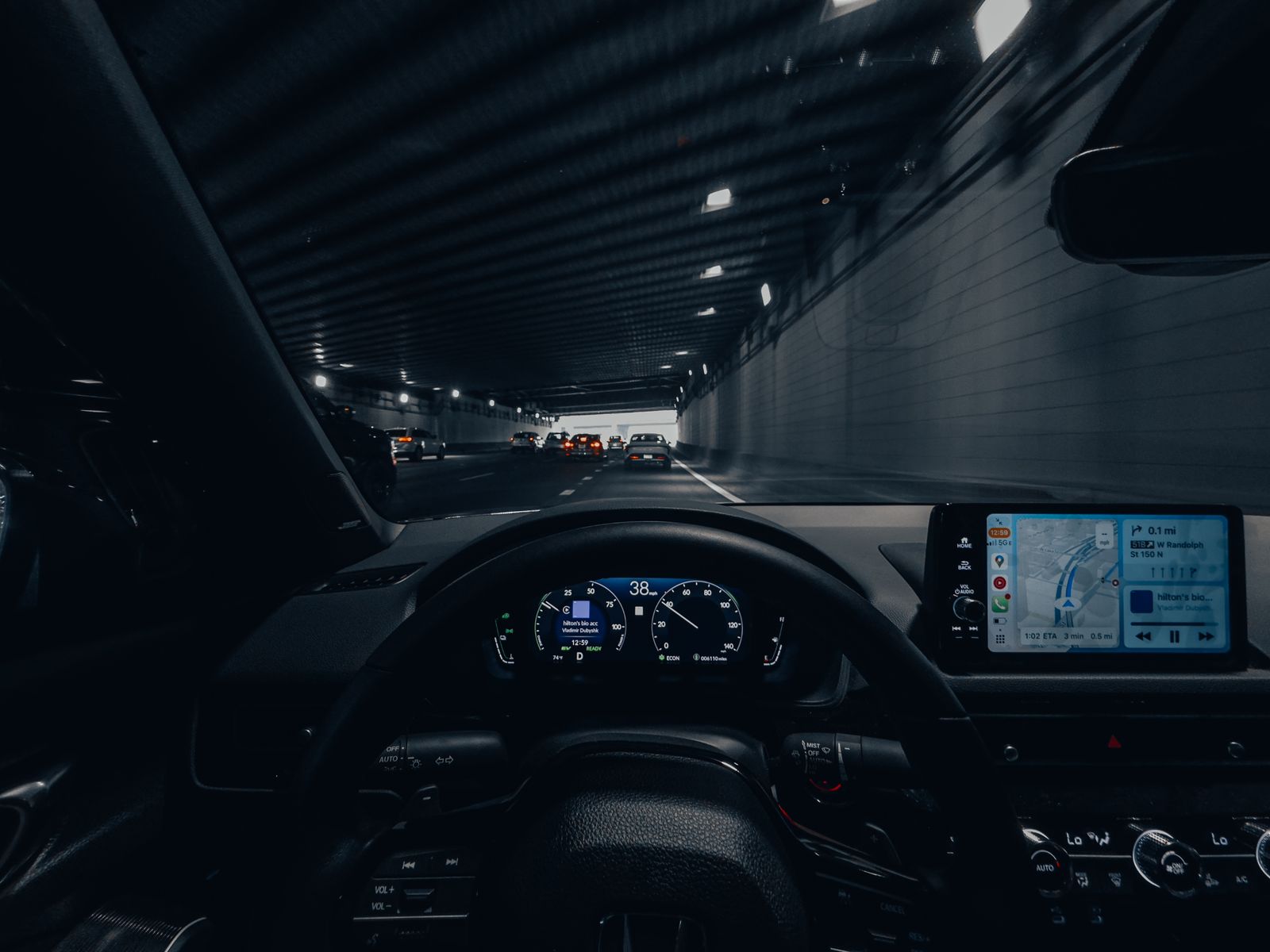
Photo: Allen Boguslavsky / Pexels
Signal Lost: The Fix Order
Check off each step as you finish it. Your progress stays on this page.
0 of 7 complete
0% done
First, Read the Pattern: Where Does It Drop?
The pattern is the diagnosis, and three patterns cover nearly every case. Pattern one: drops only in tunnels, garages, and deep cuttings. That is physics, not a fault: satellite signals are extremely weak, weaker than the background radio noise of the city, and they do not pass through earth, concrete, or a roof. Every phone loses the fix there, and the app bridges short gaps by dead reckoning on motion sensors. If your signal returns within seconds of open sky, nothing is broken and nothing needs fixing. Pattern two: drops everywhere, even under clear sky on open roads. That is a real fault, and the causes below are ranked for it: placement, coatings, settings, stale data, then hardware. Pattern three: drops in one app but not another. Then the satellites and phone are fine, and the problem is that app's permission or battery treatment: it is being put to sleep or denied precise location while its sibling is not. Naming your pattern first prevents the classic wasted hour of reinstalling the app that was never the problem.
Cause One: The Phone Cannot See the Sky
The receiver needs a view of a good spread of sky, and car interiors conspire against it. The worst seat in the house is the center console or a cup holder, surrounded by the car's structure, low, and shaded. The best is high on the windshield or dashboard in a mount, with glass above and ahead. Glass itself is not neutral: many modern cars have metallic coated windshields (heat reflective or athermic glass, and heated windshield elements) that attenuate satellite signals badly, sometimes so badly that the only working spot is the uncoated window manufacturers leave near the rear view mirror for toll tags. If your fix is solid outside the car and weak inside at the same moment, the car is the variable: test the phone on the roof or held out of the window (safely, while parked) and watch the accuracy recover. The fix is placement and, in coated cars, using the toll tag window or an external Bluetooth GPS receiver. Rental cars are the classic trap, because the coating is invisible and the driver blames the phone they trust at home.

Cause Two: Settings That Starve the Receiver
Modern phones ration power aggressively, and a navigation app is a prime rationing target. The starvation shows up as a fix that dies minutes into a drive or whenever the screen sleeps. Check, in this order: Location is on and the navigation app holds precise location permission, not approximate, because approximate location deliberately withholds the satellite fix. The app is allowed to use location while in use or always, as your platform phrases it. Battery optimization is off for the navigation app (Android) or the app is exempt from the battery saver's restrictions, because optimized apps lose their background location feed. And battery saver itself is off while navigating, since several platforms throttle location updates under saver modes. On iPhone, the equivalent checks are Location Services on, the app set to While Using or Always with Precise Location enabled, and Low Power Mode off for the drive. These settings explain pattern three completely and half of pattern two, which is why they outrank any reinstall.
Cause Three: Stale Assistance Data and a Cold Receiver
A GPS receiver that knows roughly where it is and which satellites are overhead fixes in seconds; one that knows nothing can take minutes, because it must download the satellites' orbital data from the slow satellite broadcast itself. Phones cheat with A-GPS: assistance data fetched over the internet that hands the receiver its cheat sheet. After days in airplane mode, a long flight to a new continent, or weeks with location off, that data is stale, and the first fix crawls while the app reports signal lost or searching. The cure is unglamorous: stand under open sky with a data connection for a minute and let the phone refresh and fix; tools that reset and re-download assistance data exist on Android (often called GPS reset or A-GPS refresh in GPS test apps) and do the same job deliberately. A related trap is the first drive in a new city after landing: the receiver wakes up thousands of kilometers from its last fix, and patience outdoors, not app switching, is what shortens the wait. Once fixed, subsequent fixes are fast again until the data ages out.
Cause Four: The App, the Case, and the Phone Itself
What remains after placement, settings, and data are the physical suspects. A magnetic or metal mount plate glued over the phone's center, or a thick metal case, can disturb the antenna's environment; test one drive with the case off and the phone in a plain vent mount. A software fault in one app shows as pattern three and yields to clearing the app's cache, updating it, or testing a second navigation app for comparison, which is why the checklist starts by establishing whether the loss is app specific. Hardware failure is real but rare and usually follows a drop or a repair: the tell is a phone that cannot fix under open sky with every setting correct while another phone beside it fixes in seconds. Before concluding hardware, do that side by side test; it is the only honest way to separate a dead receiver from a hostile environment. If the receiver is dead, an inexpensive Bluetooth GPS puck restores navigation and costs less than a repair, a legitimate endgame for an older phone that otherwise serves well.
Prevention for Routes You Drive Every Week
If the same route drops at the same places, stop troubleshooting the phone and start engineering the trip. Note where the drops happen: a specific underpass, a coated windshield's dead zone, a valley with terrain masking the southern sky. Terrain masking is the quiet cause on rural routes: a receiver needs satellites spread across the sky, and a deep valley or a cliff face can hide enough of them that the remaining geometry is too weak to hold a fix, especially in the morning or evening when the constellation's arrangement over your valley is at its poorest. Satellite geometry changes through the day, which is why a route can fail at 8 in the morning and sail through at noon. For a chronic route, the durable fixes are positional: a mount that puts the phone at the highest, clearest glass in the car; the uncoated toll tag zone if the windshield is metallic; or an external Bluetooth GPS receiver on the dashboard or rear shelf, which sees more sky than any phone buried in the cabin and holds fixes through valleys that defeat handsets. Fleet drivers and rural couriers standardize on the external receiver for exactly this reason. And keep the app honest: an up to date navigation app with a fresh assistance download at the start of the week removes the software half of the pattern, leaving only physics, which the mount then handles.
The Fix Order, On One Card
Park under open sky. Phone high on the dash, case off for the test. Location on, precise permission granted, battery optimization lifted for the app, saver off. Data connection on for two minutes to refresh assistance, then start navigation and wait a full minute before judging. If the fix holds in the test, restore your normal setup one element at a time (case, mount, settings) until the drop returns, and you have found your cause by elimination. If it never holds, test a second phone in the same spot: its success convicts your hardware; its failure convicts the location itself. This order is the checklist above, and it resolves the overwhelming majority of signal lost complaints without a single reinstall. For the slower cousin of this problem, a dot that holds but sits imprecisely, improve gps accuracy is the companion routine, and google maps gps explains the sources the fix is juggling when it works.
Related Guides
Readers working through this topic usually need its closest companions too. These GPS and navigation guides cover the neighboring ground:
- GPS Signal Lost When the Screen Is Off: The Permission and Battery Fix: When a tracked run shows a straight line sliced across the park, or navigation wakes up half a mile late, the satellites are rarely to blame.
- GPS Navigation App Free: What Is Actually Free, and What the Free Tier Paywalls: Most navigation apps are free to download and free to drive with, but the free tiers differ exactly where it hurts: voice guidance, offline maps,...
- Offline Maps Expiring: How to Check the Date, Refresh Areas, and Never Get Caught: Your downloaded Google Maps area carries an expiry date, and the internet cannot agree on what it is: fifteen days, thirty days, and one year are...
Frequently Asked Questions
Why does my GPS signal keep getting lost while driving?
The common causes, in order, are the phone's sky view blocked by placement or a metallic coated windshield, battery or permission settings starving the navigation app, stale A-GPS assistance data after days offline, and, rarely, a failing receiver. Drops only in tunnels and garages are normal physics and need no fix.
How many satellites does my phone need for a GPS fix?
At least four: three to solve for latitude, longitude, and altitude, and a fourth to solve for the receiver's clock error. More satellites in view improve accuracy and make the fix robust when buildings or terrain block part of the sky.
Why does GPS signal lost happen in my car but not outside?
Your car is the obstruction. Metallic heat reflective windshield coatings and heated glass elements attenuate satellite signals, and low console placement hides the sky. Test the phone high on the windshield or outside the car; if the fix recovers, use the uncoated toll tag area near the mirror or an external receiver.
Will restarting or reinstalling the app fix signal loss?
Rarely, because the cause is usually placement, settings, or stale assistance data rather than the app. Work the fix order first: open sky test, precise permission, battery exemption, assistance refresh. Reinstall only if one app loses signal while another app on the same phone holds it.
How do I refresh my phone's GPS assistance data?
Give the phone a data connection under open sky for a minute or two and let it fix; that alone refreshes A-GPS. On Android, GPS test apps offer an explicit reset and re-download of assistance data. On iPhone, toggling Location Services off and on and restarting the phone achieves a similar refresh.
Photo credits: Allen Boguslavsky (Pexels); Lukas Rychvalsky (Pexels). Photos are served from this site; follow the credit to the library page for the original.